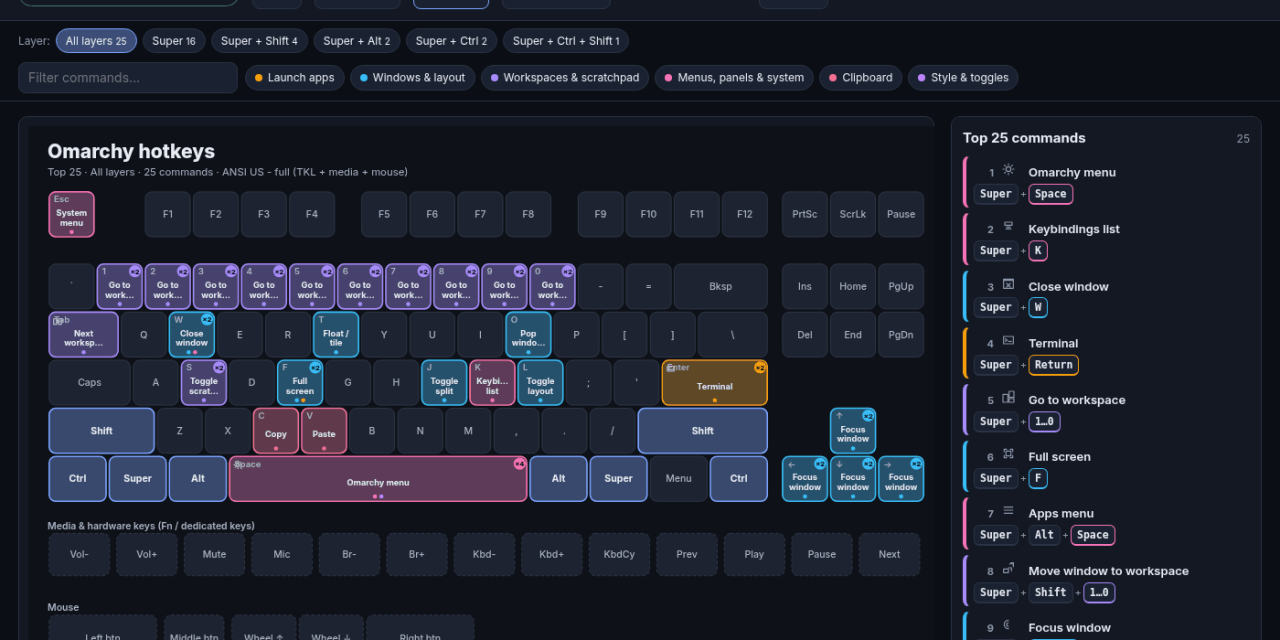
About an hour after a three-minute voice note on my phone, I had a working keyboard-shortcut app rendering Omarchy and Unity. About 30 minutes after that it was on a public test URL. By that afternoon it was live on my own web host with a GitHub-based publishing pipeline. I didn’t write or edit a single line of code.
Also by that afternoon, I had burned through my week of Grok Build usage.
Where the idea came from
I watched John Kim’s video AI App Animations is Hard Until You Learn This. (He’s @PremiumGoblin on X and writes on Substack.) It’s about adding real animation to apps you build with AI. I wanted to try it.
The problem with wanting to try something is you need something to try it on.
About a year ago I played around with having AI generate SVG files to make cheat sheets for applications. It kind of worked. It was also a lot of fiddling. A set of cheat sheets, generated from real documentation and animated, seemed like a good test. It also made a nice quick MVP tech demo for my GenAI Projects class at Boise State.
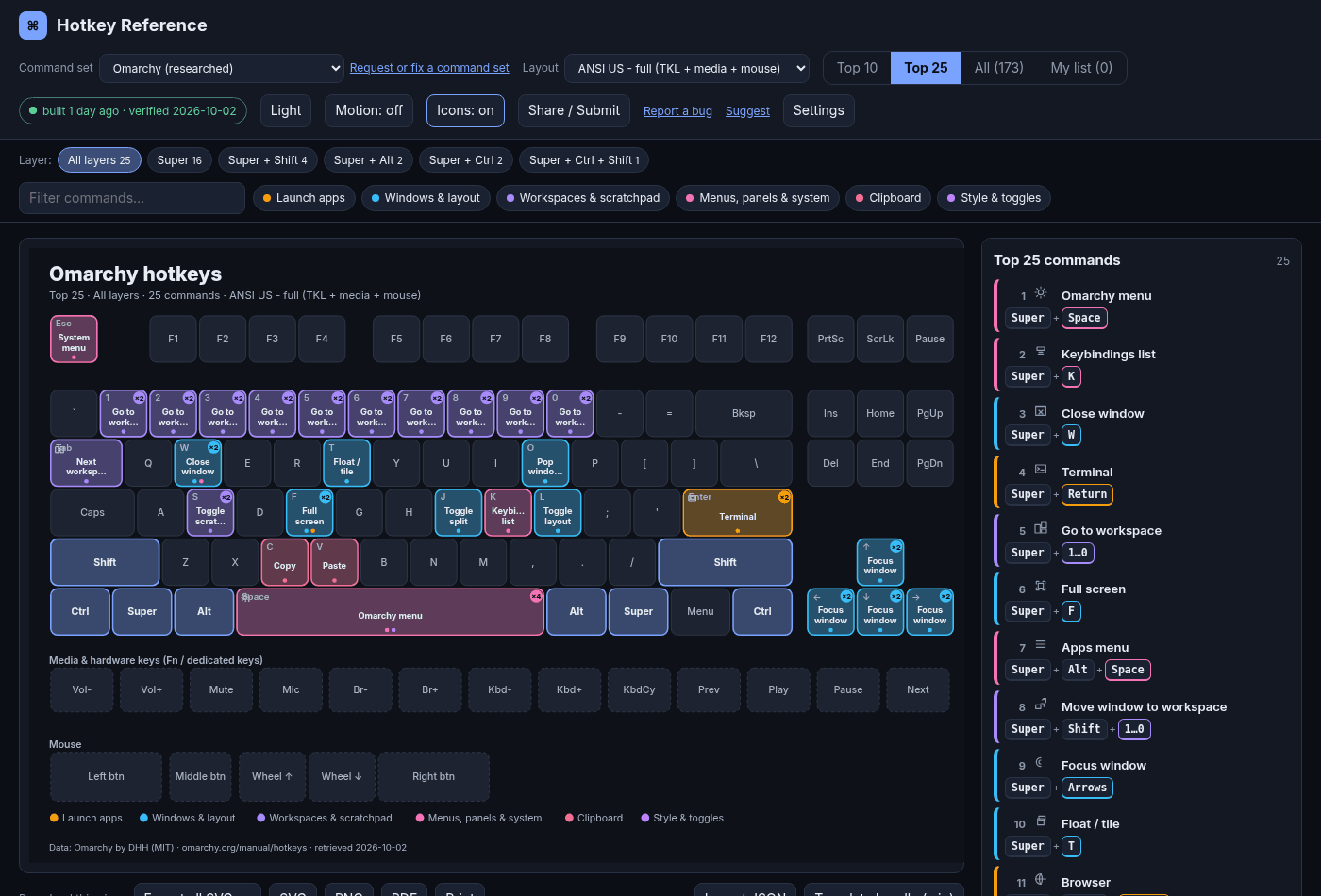
Hotkey Atlas today: Omarchy’s Top 25 shortcuts on a full keyboard layout, with the ranked list on the right.
Starting from my phone
I opened Grok Bot on my phone and talked to my chief of staff bot.
At 7:45 that morning I described the app by voice. The call was a little over three minutes. The idea was:
- Use Context7 to pull the current documentation for an application.
- Do a web search to see how people actually talk about and teach its shortcuts, to find the top 10 and top 25.
- Build an app that generates an SVG layout of those hotkeys, with Top 10, Top 25 and All modes.
- Add animations to make it fun.
- Build it like a framework, so people could put it on GitHub and add their own apps.
The voice model heard “Omarchy” as “Maki,” “Marky,” and “Omakey.” It still worked out what I meant.
Why Omarchy and Unity
I needed real apps to test with.
Omarchy was the obvious first pick. It’s DHH’s Arch-based, keyboard-driven Linux setup, and it has an insane number of hotkeys. If the app could handle Omarchy, it could handle most things.
Unity came from a student. Earlier in the week, a student mentioned using AI to help develop in Unity. Unity is the opposite of Omarchy in a useful way. It’s a big GUI application where shortcuts are a productivity layer, not the whole interface.
The build: no code touched
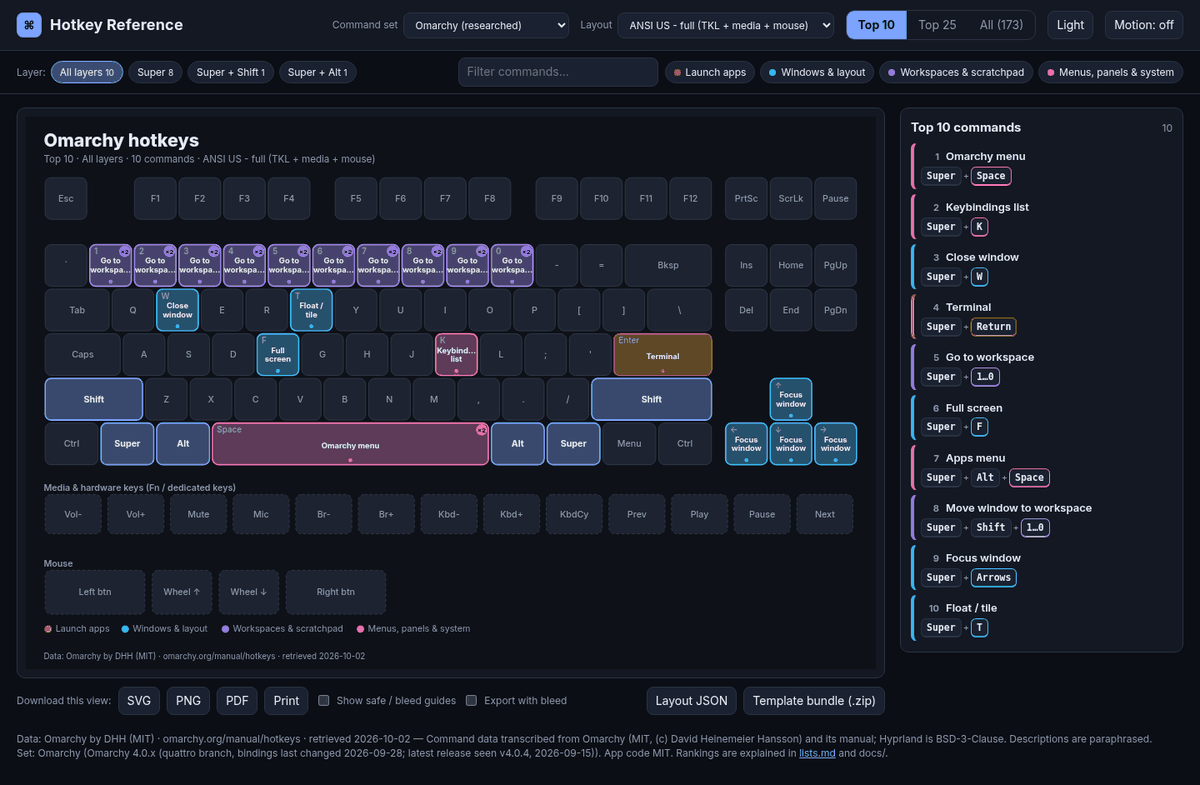
One of the first renders, at 8:17 AM, about 30 minutes after the voice note. Same idea as today, fewer features.
My chief of staff handed the build to my prototyper/program manager bot, Kaylee. From there I worked the idea by typing back and forth with Kaylee, and Kaylee built it.
Kaylee doesn’t write the code directly. It runs the coding tools installed on the Grok Bot cloud computer: Cursor Agent, Grok Build, the Antigravity CLI and the GitHub CLI. It hands them work, checks the results and runs the tests.
Here’s what the morning looked like, from the file timestamps:
- 7:45 voice note
- 8:00 first Omarchy data scripts
- 8:17 first keyboard renders
- 8:26 Omarchy mousepad layout screenshot in my chat
- 8:39 to 8:48 Unity rendering across every layout, screenshot in my chat
- 9:15 public test URL through a Cloudflare tunnel
So the “under two hours” claim checks out. It was about one hour to a working app with both test apps, and about an hour and a half to a public URL. Class started at 9:00.
Refining it through the day
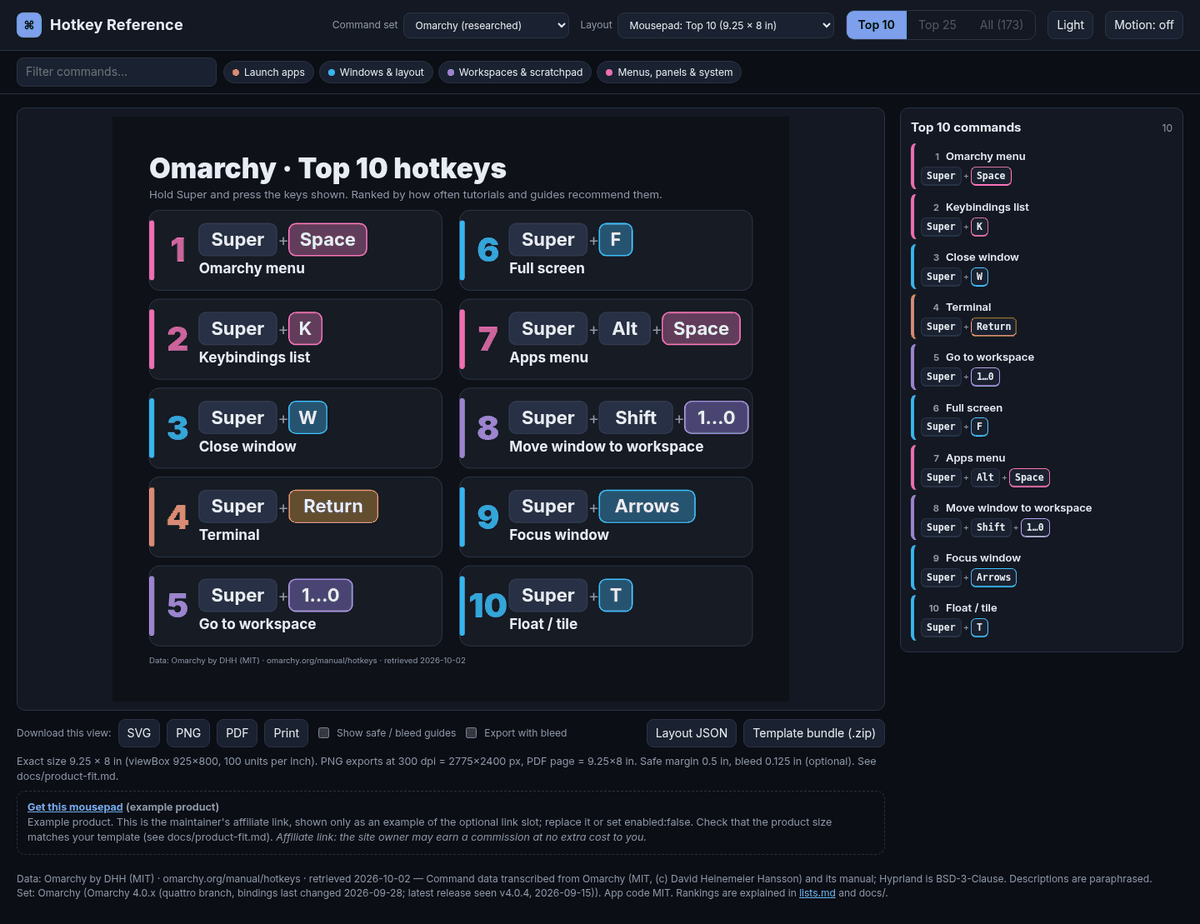
The 8:26 AM screenshot: an Omarchy Top 10 layout sized for a 9.25 × 8 inch mousepad. You can export these as SVG, PNG or PDF.
The rest of the day was refinement, in a lot of small passes:
- More layouts: compact keyboards, a modifier wheel, category cards, a one-page poster and two mousepad templates
- 34 more applications from an automated research pipeline: Office, Google apps, browsers, AI tools, code editors, Canvas, Panopto and more
- Mac vs. Windows/Linux variants
- A “combined” view for VS Code forks like Kiro, Antigravity and Cursor
- Custom “My list” sets you can share as a link, “Export all SVGs” as a ZIP, a consent banner for analytics, and a phone layout
By the “final build” that evening it had 37 command sets and 5,496 commands.
Cloudflared first, then my web host
Before moving anything to my web host, we tested the app through Cloudflared. A Cloudflare “quick tunnel” gives something running on the cloud computer a temporary public URL. That let me try it from outside the cloud computer without deploying anything.
Then it needed a real home.
GitHub and the publishing pipeline
Around 1:45 PM the project was connected to GitHub for version control. Then my GitHub bot, The Operative, walked me through setting up a publishing pipeline.
The first attempt used GitHub Pages and failed twice. The second approach was a GitHub Actions workflow that builds the static site and copies it to my web host over SFTP. The first successful deploy ran at 4:04 PM, and the app went live at atomicego.com/proj/hotkeyatlas.
Now, when I publish a release (or run the workflow by hand), it rebuilds and redeploys. It can also roll back to an earlier release.
The big problem: stalls
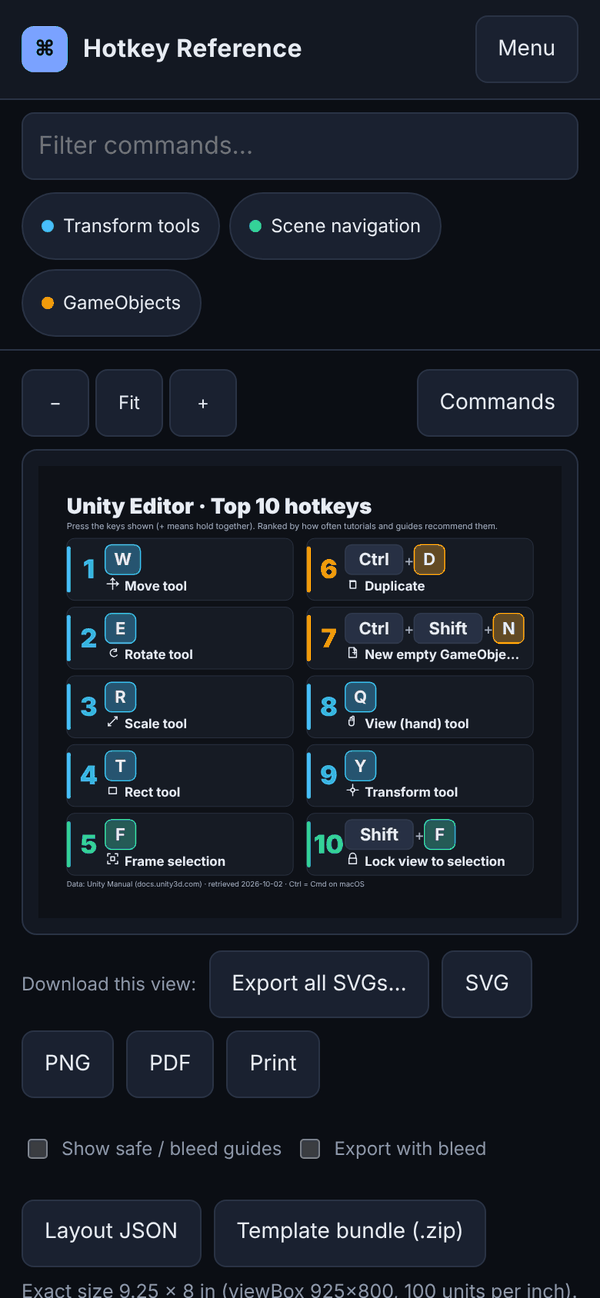
It works on a phone, too. That mattered, since that’s where this whole thing started.
Here’s the part that isn’t in the demo.
Coding agent development stalls a lot.
Early on, when Kaylee needed something changed, it would interrupt the coding CLI mid-task. That caused a lot of problems: half-finished work, confused agents, and changes that broke things that used to work. One renderer change needed six follow-up jobs to fix the regressions it caused. In the end, the fix was to put the original renderer back for the original apps and only use the new one for the researched apps.
Two changes are helping:
- Smaller jobs. Kaylee learned to atomize requests into much smaller pieces. Over that day the work turned into dozens of numbered job specs, each with its own acceptance checks.
- Files instead of interruptions. This fix is still in progress. Instead of the bot interrupting the CLI, it writes tasks into a tasks file for the coding agent and appends updates at the end. When the coding agent finishes, it appends what it did, plus its comments, to the end of a working file. The bot just tails that file. (In the repo these are work/STAGED.md and work/DONE.md.)
It’s a simple idea: a shared to-do list and a shared logbook. It’s working better than having one agent tap another on the shoulder every few minutes.
The lesson: I burned my week of Grok Build usage
I have written about tokenmaxxing before. I did it again.
To add more apps, the research step sent coding agents out to the web to pull hotkey information from vendor sites, tutorials and guides. Roughly 33 research jobs ran in about half an hour. Then a second wave started on popularity research.
Partway through that second wave, the Grok Build jobs started failing with “402 Payment Required: Grok Build usage balance exhausted.” That was a little before 2:00 PM. Later that afternoon, Antigravity hit its own quota too.
The logs show why. When an agent “browses,” every page it reads gets fed back into the model. The jobs that died at the wall had each used between 1.8 and 3.3 million tokens, almost all of it input. One of them was ranking Kiro, an app with six verified shortcuts. That job alone used about 2 million tokens in 18 model calls.
That’s not a model problem. That’s me using a very expensive tool to do a job a ten-line Python script could do.
What I’ll do better next time
- Gather with plain scripts. Fetch and scrape pages with Python (or even curl) into a local cache. Let the model read the cached text, not the live web. Later in the day the program manager did exactly this for Canvas, Cursor and Pressbooks, and it worked fine.
- Use agy (Antigravity CLI) for research. Keep the coding models out of research.
- Use Cursor and Grok models for small, targeted coding prompts. One job, one change, clear acceptance checks.
- Spend freely only on the big builds. The morning MVP was worth every token. Researching how many YouTube views a Kiro shortcut tutorial has was not.
- Don’t fan out 30+ web-research jobs at once without checking what one job costs first.
- Keep atomizing, and keep the file-based handoff. Fewer stalls, fewer surprises.
What’s in it today
37 command sets and roughly 5,500 commands across Office, Google, code editors, education, AI tools, browsers, creative and dev tools, and comms apps. That includes Excel, Word, PowerPoint, VS Code, Cursor, Chrome, Firefox, ChatGPT, Claude, Blender, Obsidian, Zoom, Teams, Canvas, and of course Omarchy and Unity. Every set can show as a Top 10, Top 25, or full list on a keyboard, a modifier wheel, category cards, a poster, or a printable mousepad template. You can build your own list, share it as a link, and export anything as SVG, PNG, or PDF. The full app list and feature list are in the project README.
Where it stands
Hotkey Atlas is a proof of concept and still a work in progress. The shortcut data was gathered by AI agents and every command links back to a source. It’s been spot-checked by script, not proofread line by line by a person. Some apps have thin data because the vendor barely documents its shortcuts. You will find rough edges.
What it does prove: I could go from an idea on my phone to a working, deployed app without touching code, using Grok Bot and a handful of dev tools on its cloud computer. I also learned a lot about where the time and the tokens actually go.
Try it: atomicego.com/proj/hotkeyatlas
Found a wrong shortcut, a bug, or want an app added? Use the Report a bug, Suggest, or Request or fix a command set links in the app, or open an issue on the Hotkey Atlas feedback repo on GitHub. A link to the vendor’s official shortcut page helps a lot.
If you build something with this approach, I’d love to hear what you learned, especially if you found a way to make the agents stall less.
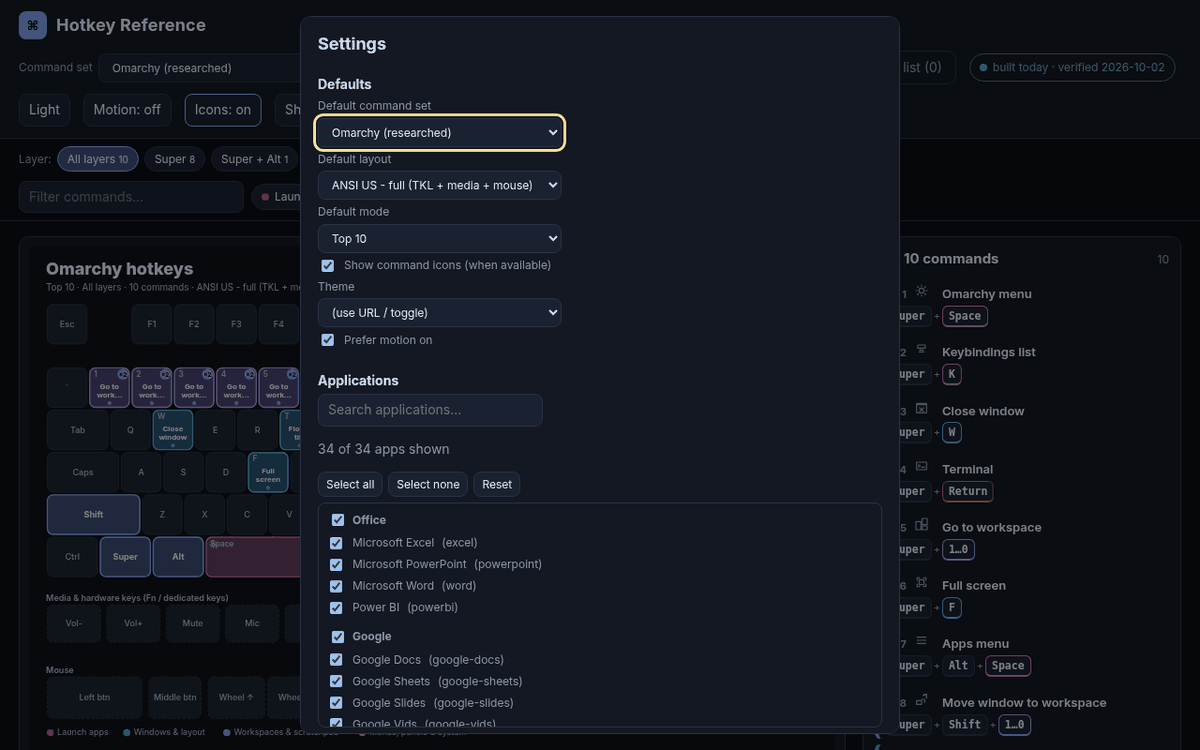
Once there were dozens of apps, it needed a grouped app picker.