Please add Atomic Ego as a Source Preference in Google.
Prism: The Missing Piece in Your Academic AI Workflow

For years, AI lived in a chat box. You’d ask it to write something, copy the response, paste it into Word, spend twenty minutes fixing the formatting, and curse the entire time.
On January 27, 2026, OpenAI launched Prism. The AI doesn’t live in a side panel anymore. It lives inside the document. It’s not a tool you talk to. It’s a workspace you think in.
Prism is actually a rebranded version of Crixet, a LaTeX collaboration platform. While it’s technically a new OpenAI tool, the underlying platform has been around long enough to build substantial community support and learning resources.
So what is it? Prism is a free, AI-native workspace designed for technical writing and scientific research. Powered by the latest GPT model, it’s a LaTeX-native platform that understands the entire context of your project, not just the last paragraph you typed.
Here’s what changed, and how to use it.
What is Prism? (And why it’s not just “another chat”)
Embedded Intelligence: The AI lives inside your document, capable of fixing equations, refining arguments, and validating structure in real-time.
Whiteboard to LaTeX: One interesting feature—it can take a hand-drawn diagram or equation from a whiteboard and convert it into clean LaTeX code.
Research Integration: It has a built-in “Research Window” that allows you to search academic papers (like those on arXiv) and inject citations directly into your work. It even had a connector that works with Zotero.
Collaboration: It supports unlimited collaborators for free. You can jump into a document with a student and leave real-time comments without version-control disasters.
Prism vs. Google’s NotebookLM: Room for Both?

There’s talk about these two competing, but I see them as a tag-team rather than a rivalry. They optimize differently.
| Feature | Google NotebookLM | ChatGPT Prism |
|---|---|---|
| Primary Goal | Synthesis of existing information | Creation of new, technical content |
| The “Vibe” | Your personal librarian/research assistant | Your technical co-author and typesetter |
| The Edge | Incredible at “Podcast” overviews and cross-source analysis | Native LaTeX, complex math, and real-time collaboration |
The Expertise Rule: An AI knows the answer, but you must understand why that is the answer. Use NotebookLM to build your understanding. Use Prism to apply your expertise.
Here’s the clean mental model:
NotebookLM = Research Brain. It helps you focus what you think and polish the rough edges of your knowledge. It excels at cross-document reasoning, understanding nuance from a variety of sources, and surfacing contradictions and themes. It’s strongest before and during ideation, when the work is still fuzzy.
Prism = Research Hands. It helps you take your knowledge and craft it into polished output. It excels at formalizing ideas into publishable artifacts, managing equations, citations, formatting, and structure. It’s strongest after clarity emerges, when precision matters.
NotebookLM answers: “What do these 12 papers actually say when compared?” and “Where do these authors disagree?”
Prism answers: “How do I express this rigorously?” and “Is this mathematically and structurally sound?”
The overlap begs obvious comparisons: Both ingest documents. Both reason over content. Both reference sources. But they complement each other. NotebookLM reasons about knowledge. Prism reasons through application.
Who Lives Where? (The Use Cases)
Students (Undergraduate / Early Graduate)
Primary Home: NotebookLM
Students struggle most with sense-making, connecting sources, and turning confusion into structure. NotebookLM directly attacks that problem by forcing students to anchor claims in sources, making hallucination harder, and encouraging interrogation instead of dumping answers.
How students should use the tools:
Perplexity: “What exists?”
NotebookLM: “What does this material actually say?”
ChatGPT/Gemini/Claude: “Explain this like I’m smart but still learning”
Prism: “Now I must submit something formal” (late-stage only)
Students should not start in Prism. That’s like teaching typesetting before thinking.
Faculty (Teaching + Research)
Primary Home: NotebookLM + Prism (split brain)
Faculty live in two modes: exploration and synthesis, then production and publication. NotebookLM supports the first. Prism dominates the second. Use NotebookLM for literature synthesis, course prep, and research framing. Use Prism for drafting papers, grant-adjacent writing, and collaborative manuscripts.
Why Prism matters more for faculty than students: Faculty already know what they’re saying. The risk is imprecision, not confusion. Prism reduces friction where faculty actually bleed time.
Industry Research Teams
Primary Home: Perplexity + NotebookLM
Industry research prioritizes speed, competitive awareness, and decision-making under uncertainty. Perplexity dominates external signal detection. NotebookLM dominates internal knowledge coherence.
Prism appears only when publishing externally, writing standards, or producing defensible documentation. Most industry teams don’t need LaTeX daily—but when they do, they need it badly.
The “Strategic Laziness” Workflow

Here’s how to stack these tools compose into an efficient pipeline.
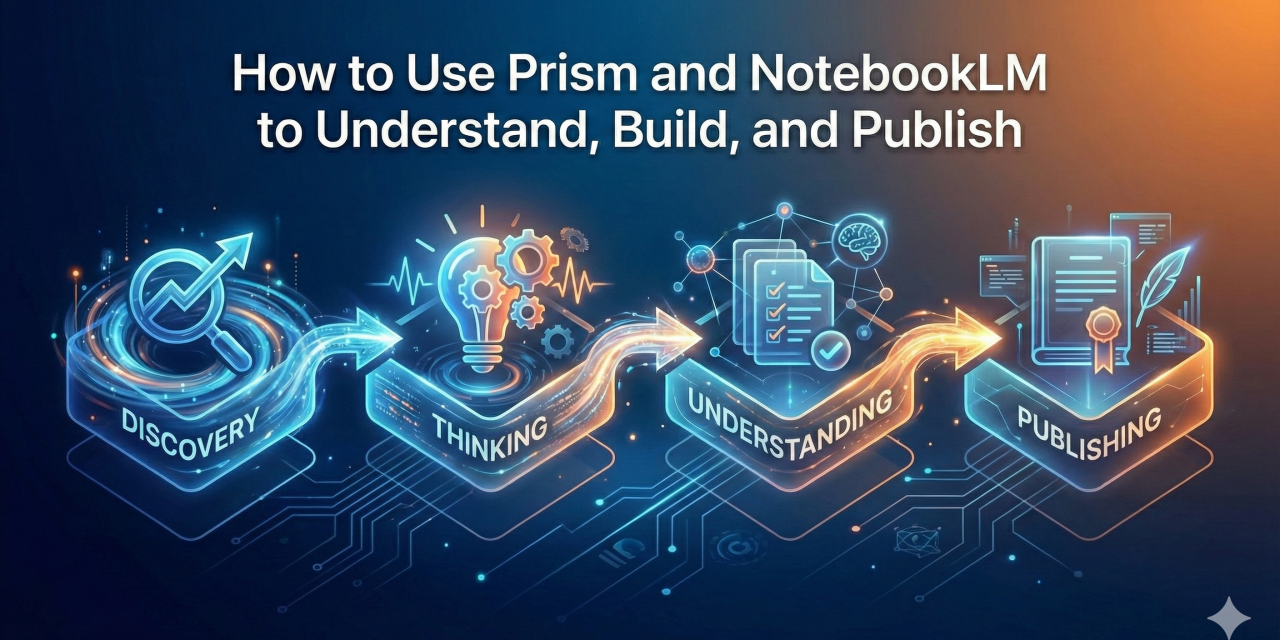
Step 1: Discovery (Perplexity.ai)
Find signals and raw ideas. This is your information scouting phase. Market scanning, literature discovery, credibility checks. Nothing lives here permanently. Perplexity is a scout, not a home. Grab URLs, PDFs, reports.
Step 2: Reasoning (LLM Layer)
This is where agency is amplified. Use your favorite LLM for clarifying questions, argument stress-testing, analogy building, draft outlines. Turn the ideas over. Ask for feedback and critique. Your focus sharpens, but nothing is locked in yet.
Step 3: Synthesize (NotebookLM)
Drop your PDFs, links, and notes into NotebookLM. This is where you convert information into personal knowledge. Cross-source reasoning, themes and gaps exposed, claims tied to citations. Ask questions in chat, convert strong responses to notes and add them back as sources to reinforce aspects. Generate a podcast to hear different framings of the topic. This is where understanding stabilizes.
Step 4: Formalization (Prism)
This is where you move from Ideation to Creation. Use the LaTeX-native environment to build your report, paper, or other technical writing. Research Window for citations, collaboration, and version control. Prism assumes you already know what you’re arguing—precision now matters more than exploration. Ideas become papers, reports, defensible artifacts.
Perplexity scouts signals, LLMs explore and sharpen ideas, NotebookLM grounds understanding, Prism formalizes reality.
Both NotebookLM and Prism excel at generating supplementary materials. See sidebar for examples and other bonus tools.
The Critical Part: Feedback Loops
The workflow isn’t linear. You’ll move back from Prism to NotebookLM when clarity breaks. You’ll jump from NotebookLM to your LLM for reframing. You’ll take refined wording from your LLM into Prism for structure. The stack breathes.
Final Thought
Prism isn’t replacing NotebookLM. It’s completing the workflow. One helps you understand. The other helps you build. Your expertise amplifies your ideas into publishable work.
And the fact that both are free? That’s just the cherry on top.
Links:
- NotebookLM: https://notebooklm.google.com/
- Prism: https://openai.com/prism/
- Perplexity: https://perplexity.ai/
- ChatGPT: https://chatgpt.com/
- Gemini: https://gemini.google.com/
- Claude: https://claude.ai/
- Reddit Community: https://www.reddit.com/r/Crixet/
- Discord: https://discord.com/invite/ffMZrSxUQa
- Tutorials: https://crixet.com/articles/create-new-latex-project
- Learning LaTeX: https://crixet.com/articles/latex-tutorial-for-beginners-5-lessons-from-basics-to-intermediate
- Prompt Library: https://crixet.com/resources/prompts